

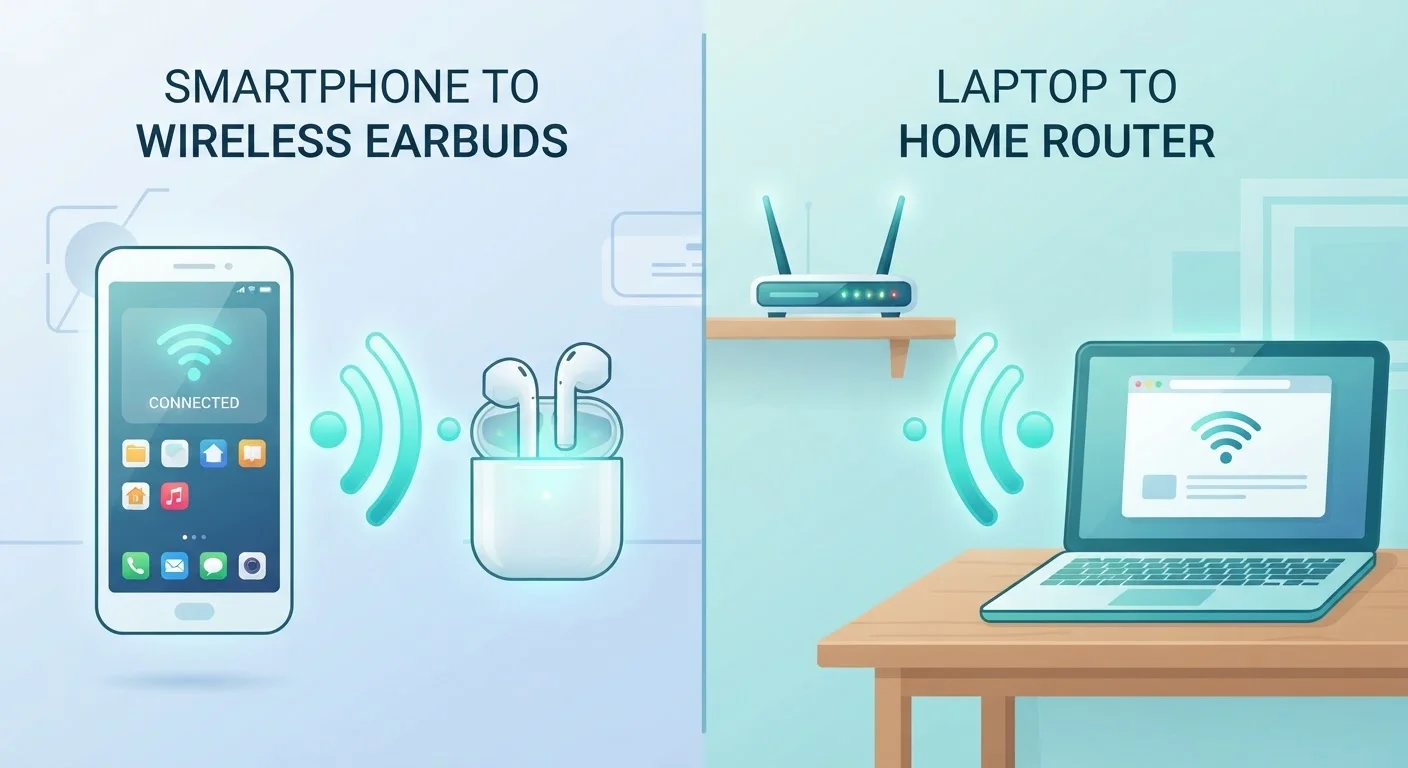
Option A
Bluetooth
The short-range, device-to-device connector.
Best for: Linking two nearby personal devices — like a phone and wireless headphones — without needing a network or internet connection.
Option B
Wi-Fi
The high-bandwidth network bridge.
Best for: Connecting phones, laptops, smart TVs, and other devices to a local network and the internet across an entire home.
Same Concept, Completely Different Purpose
Both Bluetooth and Wi-Fi transmit data through the air using radio waves — so it's easy to lump them together. But they were designed to solve entirely different problems, and understanding that distinction makes it much easier to understand how your devices actually behave.
Think of Bluetooth as a short handshake between two nearby gadgets. It's the technology that lets your phone talk to wireless earbuds, a car's audio system, or a wireless keyboard — directly, without any middleman. Wi-Fi, on the other hand, is what connects your devices to a network, which then reaches the internet. Your phone, laptop, and smart TV aren't talking directly to each other over Wi-Fi; they're all connecting to a central router.
For a deeper look at how your home network functions end-to-end, see Your Home Wi-Fi Network, Explained.
| Criterion | Bluetooth | Wi-Fi |
|---|---|---|
| Primary purpose | Device-to-device pairing | Network and internet access |
| Typical range | ~30 feet (consumer devices) | 100–300+ feet (varies by router) |
| Common frequency | 2.4 GHz | 2.4 GHz and 5 GHz (also 6 GHz) |
| Data speed | Up to ~3 Mbps (Bluetooth 5) | Hundreds of Mbps to 1+ Gbps |
| Power consumption | Very low | Moderate to high |
| Requires a router? | No | Yes |
| Max simultaneous connections | Typically 7 (classic) or more (BLE) | Dozens of devices |
| Best for | Audio, accessories, wearables | Streaming, browsing, smart home |
How Each Technology Actually Works
Bluetooth typically operates on the 2.4 GHz radio frequency band and uses a technique called frequency hopping — rapidly switching between dozens of sub-channels to avoid interference. This keeps the connection stable even in crowded wireless environments. Its effective range is usually around 30 feet for everyday consumer devices, though newer Bluetooth versions have extended this in some cases.
Wi-Fi also uses 2.4 GHz, but modern routers commonly add a 5 GHz band (and sometimes 6 GHz), which carries much more data at shorter distances. Wi-Fi is engineered for volume: it can transfer large files, stream high-definition video, and support many devices simultaneously. That capability comes at a cost — Wi-Fi uses significantly more power than Bluetooth, which is why your laptop's battery drains faster with Wi-Fi active versus off.
~3 Mbps
Max speed of Bluetooth 5 (classic)
Sufficient for audio streaming, but a fraction of modern Wi-Fi's capacity for video or file transfers.
300+ feet
Potential Wi-Fi range indoors
Modern dual-band routers can cover a typical home, though walls and obstacles significantly reduce effective range.
30 feet
Typical Bluetooth consumer range
Most Bluetooth devices are designed to stay within about 30 feet of the paired device for a reliable connection.
If you're curious about how routers handle multiple devices and bands in a real home, Mesh Wi-Fi vs. Traditional Routers breaks down the key differences in plain terms.
Real-Life Uses: Where Each One Fits
The clearest way to grasp the distinction is to look at daily scenarios:
- Bluetooth in action: Connecting wireless headphones or a speaker, syncing a fitness tracker, pairing a wireless mouse or keyboard, sending a file to a nearby phone, or using hands-free audio in your car.
- Wi-Fi in action: Browsing the web, streaming Netflix, video calling, downloading apps, connecting smart home devices like thermostats and cameras, and sharing files between devices via cloud services.
Crucially, these two technologies aren't competing — your devices use them at the same time. Right now, you might be listening to music through Bluetooth earbuds while your phone simultaneously loads a webpage over Wi-Fi. They operate on separate radio channels and don't interfere with each other's core job.
When Both Run at Once
It's completely normal — and very common — for your smartphone to use Wi-Fi and Bluetooth simultaneously. They operate on separate logical channels and handle different tasks, so there's no conflict. Your phone can stream music to Bluetooth earbuds while loading emails, maps, or video over Wi-Fi without either connection suffering. If you notice slowdowns, the cause is almost always network congestion or signal interference, not the two technologies conflicting with each other.
One area where people get confused is wired vs. wireless decisions. Not every device benefits from Wi-Fi — see Wired vs. Wireless: Choosing the Right Connection for a clear breakdown of when a cable is the smarter choice.
The content on this site is for informational purposes only and is not a substitute for professional advice. Always consult a qualified professional for guidance specific to your situation.