

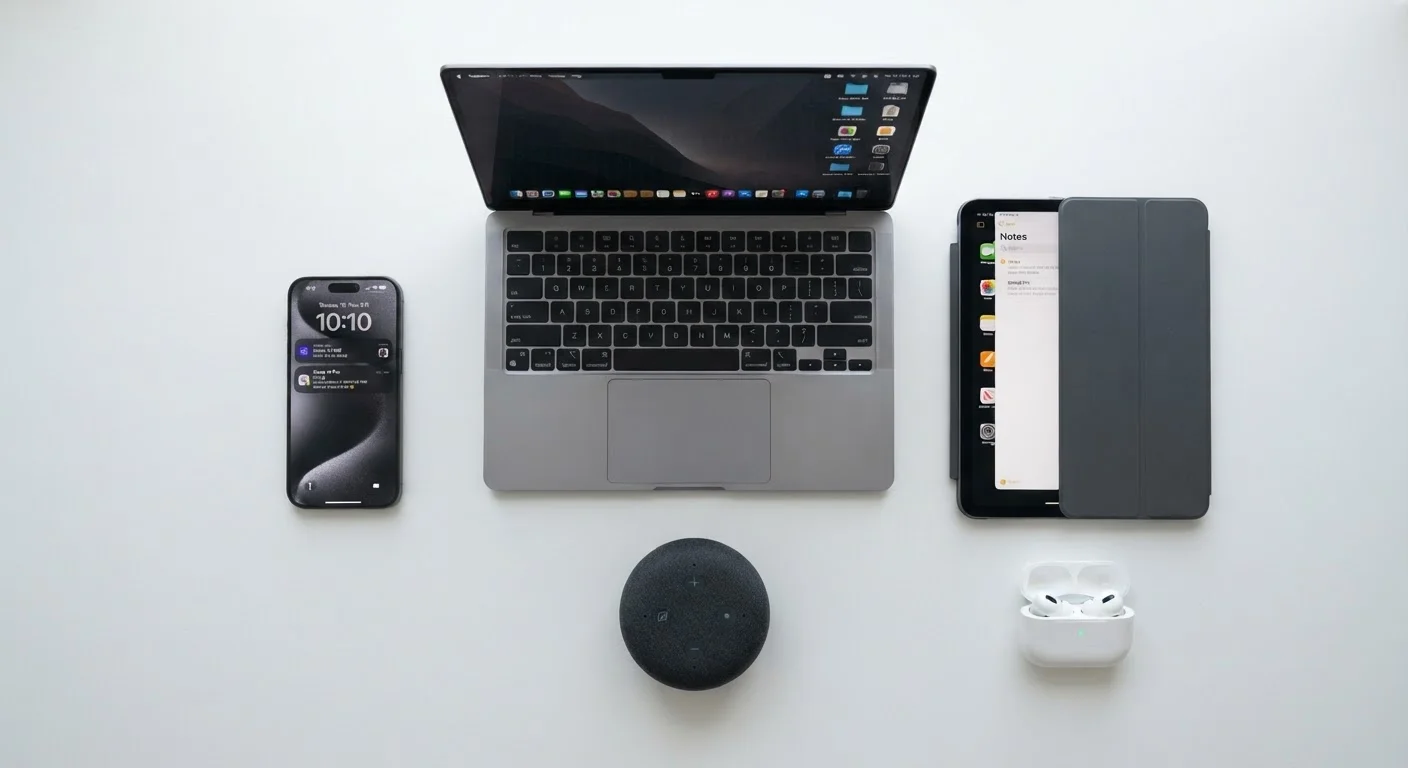
What a Gadget Actually Is (and How It Thinks)
Strip away the glass and aluminum from any modern gadget — a smartphone, tablet, or smart speaker — and you'll find the same fundamental trio doing all the work: a processor, memory (RAM), and storage.
The processor (also called a chip or CPU) is the brain. It executes instructions — billions of them per second. When you tap an app, the processor decodes that tap and figures out what to display next. RAM (Random Access Memory) is the device's short-term working space: it holds whatever you're actively doing right now. Storage, by contrast, is the long-term filing cabinet — it keeps your photos, apps, and files even when the device is powered off.
A useful analogy: the processor is the chef, RAM is the kitchen counter (only so much fits at once), and storage is the pantry. More RAM means more dishes you can prep simultaneously without slowdowns. See how these specs play out on smartphones in our deeper breakdown.
17B+
Connected devices worldwide
IoT Analytics estimated over 17 billion active connected devices globally as of recent years, underscoring how embedded gadgets have become in daily life.
~50%
US households with a smart speaker
NPR and Edison Research surveys have consistently found roughly half of American adults live in a home with a smart speaker.
3–5 years
Typical software support window
Most smartphone and tablet makers provide security updates for three to five years after a device's release, after which devices become more vulnerable.
How Data Moves: Storage, Memory, and the Cloud
Data in your gadget exists in two states: local (on the device itself) and remote (on servers somewhere else, commonly called the cloud). When you save a photo, it lands in local storage first. If you have cloud backup enabled, a copy is also sent over the internet to a data center — often one run by the same company that made your device's operating system.
Cloud sync means your data is mirrored across devices automatically. Edit a document on your laptop; it appears on your phone within seconds. This convenience is real, but it comes with a caveat.
Cloud Storage ≠ Local Backup
Syncing photos or documents to the cloud does not automatically create a true backup. If you delete a file from your device, many services will delete it from the cloud too. Follow a 3-2-1 rule: three copies, two different media types, one stored off-site or offline.
Understanding this distinction helps you make conscious choices about your data rather than assuming everything is safely duplicated. For a plain-English breakdown of terms like bandwidth, latency, and storage types, the Connected Home Glossary is a handy reference.
Connectivity: Wi-Fi, Bluetooth, and Cellular Explained
Gadgets communicate using radio waves — invisible signals that carry data through the air. Three technologies handle most of this in everyday life:
- Wi-Fi connects devices to your home router and through it to the internet. It's fast and suited for staying in one place. Routers broadcast on different frequency bands — 2.4 GHz travels farther but slower; 5 GHz is faster but shorter range.
- Bluetooth is designed for short-range, device-to-device connections (earbuds to phone, keyboard to laptop). It uses very little power, which is why earbuds last hours on tiny batteries.
- Cellular (LTE / 5G) connects your phone to towers operated by your carrier. It works anywhere with cell coverage — no router required — but uses your data plan.
These three systems are often active simultaneously on a smartphone. Your phone might stream music via Bluetooth to headphones, pull data over Wi-Fi, and keep a cellular connection in standby — all at once. Learn how your home Wi-Fi network actually works, including why dead zones happen and how to address them.
When comparing devices, prioritize RAM and processor generation over raw clock speed — a newer, efficient chip often outperforms an older fast one in everyday tasks.
Clock speed (measured in GHz) is only one dimension of performance; architecture improvements in newer chip generations typically deliver better real-world results per watt.
Restart your router monthly rather than waiting for problems — it clears temporary memory and can resolve slow speeds before they become noticeable.
Routers run lightweight operating systems that accumulate temporary data over time; a periodic restart keeps the connection table clean and performance consistent.
Inputs and Outputs: How Gadgets Sense and Respond
Gadgets interact with the world through inputs (how they receive information) and outputs (how they respond or display results).
Common inputs include touchscreens, cameras, microphones, and physical buttons. A touchscreen works by detecting tiny changes in an electrical field when your finger — which conducts electricity — makes contact. Cameras convert light into digital data using image sensors. Microphones capture air pressure changes (sound) and convert them into electrical signals the processor can interpret.
Outputs include screens, speakers, and haptic motors (the mechanism that makes your phone vibrate). A display generates images by lighting up millions of tiny pixels — each one a combination of red, green, and blue light — in precise patterns thousands of times per second.
Sensors add another layer: accelerometers detect motion and orientation, GPS receivers triangulate location using satellite signals, and proximity sensors dim your screen when your phone is near your face during a call.
“The best interface is one you don't have to think about. When technology disappears into the background of daily life, that's when it's truly working.”
— Mark Weiser, Pioneer of ubiquitous computing research at Xerox PARC
Software, Updates, and Why They Matter
Hardware is only half the story. Software — the operating system and apps — tells the hardware what to do. The operating system (iOS, Android, Windows, macOS) acts as a referee, managing how apps access the processor, memory, camera, and other components so they don't interfere with one another.
Apps are programs designed to run on top of the operating system. They request access to hardware features — the camera, microphone, location — and the operating system decides whether to grant that access based on permissions you set.
Keep Software Current for Security
Enable automatic updates on every device you own. Software patches frequently close security holes that attackers actively exploit. Delaying an update even by a few weeks can leave you exposed to known vulnerabilities.
Security updates deserve special attention here. When researchers discover a flaw in software, manufacturers release a patch to close it. If you skip updates, that flaw remains open — a door attackers know about and you don't.
End-of-Support Devices Carry Real Risk
When a manufacturer stops releasing security updates for a device, any newly discovered vulnerabilities will never be patched. Continuing to use an unsupported device — especially for banking or email — exposes your personal data to known attack methods. Plan to replace or retire devices once official support ends.
For anyone building their foundational tech vocabulary, Personal Computing From Scratch covers operating systems, file management, and everyday computing tasks in accessible terms.
Putting It All Together: Smart Devices in Your Home
Smart home devices — thermostats, light bulbs, doorbells, plugs — apply everything above in a household context. Each device has a small processor, connects via Wi-Fi or a low-power protocol like Zigbee or Z-Wave, and runs software that receives commands from an app or a voice assistant.
These devices communicate through a hub or directly through your router. A hub is a central coordinator — it speaks multiple wireless protocols so devices from different brands can work together. Without a hub, each device typically needs its own app and its own cloud connection.
Not All 'Smart' Devices Need the Internet
Some devices labeled 'smart' — such as certain thermostats or appliances — can function locally on your home network without ever connecting to the wider internet. Check a device's privacy settings to understand what data it sends externally and where.
The practical takeaway: before adding any smart device to your home, check which protocol it uses and whether it's compatible with the ecosystem you already have (or plan to build). Getting started with smart home devices walks through exactly this process — what to buy, how devices connect, and what to set up first.
Technology doesn't have to be a black box. Every gadget on your shelf follows the same logical chain: a processor runs software, memory keeps things fast, storage keeps things safe, and connectivity ties it all to the wider world. Once you see that pattern, every new device becomes easier to understand — and easier to use well.
Explore more foundational guides in our Home Tech Basics hub and the Phones & Computers hub.
Connected Home Glossary
A plain-language reference for home tech terms from bandwidth to Zigbee. Useful for decoding the vocabulary that comes with any new device setup.
Inside Your Smartphone: Specs Explained
Breaks down RAM, refresh rate, and processor specs so you understand what matters before — or after — you buy a phone.
Getting Started with Smart Home Devices
A practical starting point for anyone new to smart home technology, covering how devices connect and how to build a reliable setup.
Personal Computing From Scratch
Covers essential computing concepts and everyday tasks for anyone new to owning a computer or smartphone.
The content on this site is for informational purposes only and is not a substitute for professional advice. Always consult a qualified professional for guidance specific to your situation.