

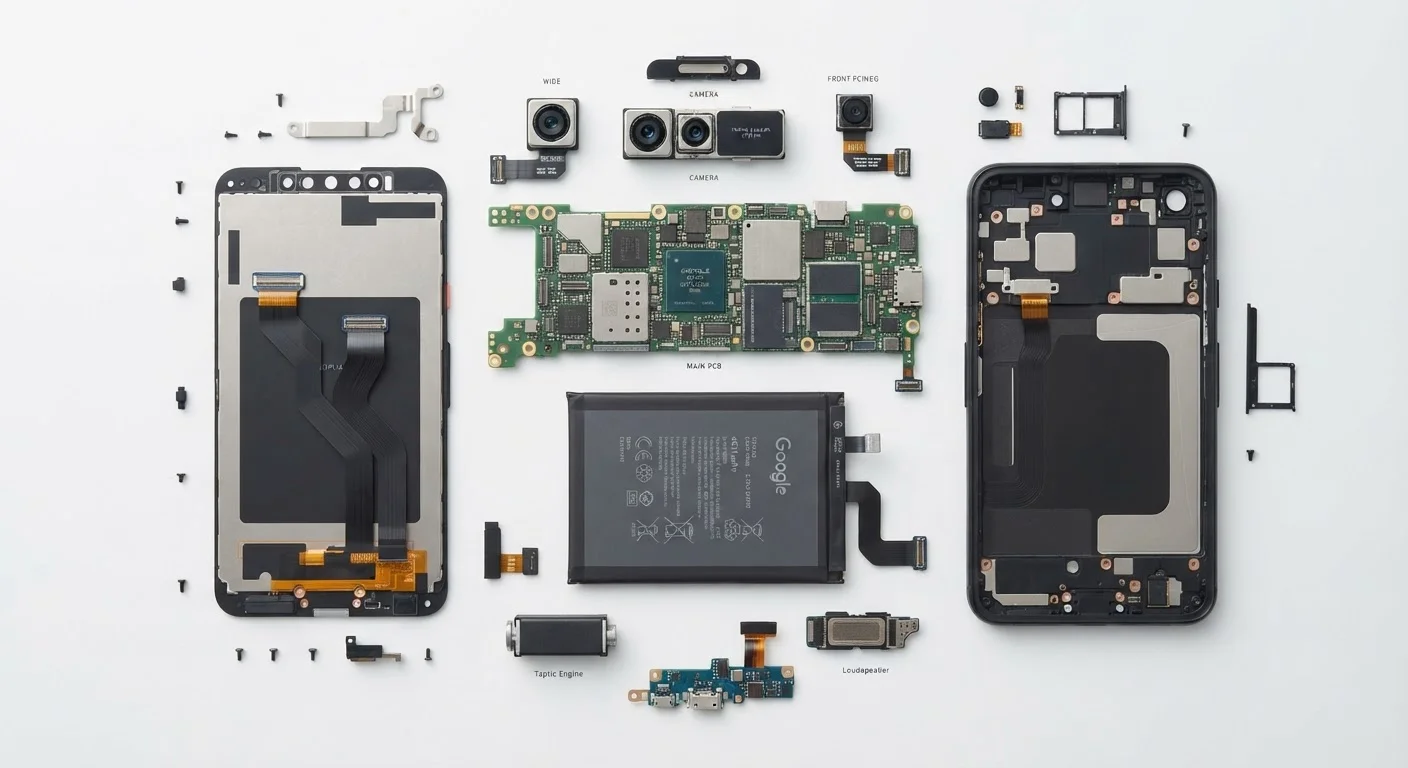
RAM: Your Phone's Multitasking Muscle
RAM stands for Random Access Memory. Think of it as your phone's desk: the bigger the desk, the more things you can have open and ready to use at once. When you switch from a navigation app to a playlist to a chat thread and back again, RAM is what keeps those apps ready instead of making you wait for them to reload.
When a phone runs low on RAM, it starts closing background apps to free up space — which is why sometimes you return to an app and it reloads from scratch. More RAM reduces how often that happens.
Match Specs to Your Actual Habits
Before comparing numbers, list what you actually use your phone for most — streaming, photography, gaming, or basic communication. A spec that matters enormously to a mobile gamer (RAM, processor) may be irrelevant to someone who mainly texts and browses. Knowing your habits first helps you ignore marketing noise and focus on what will genuinely affect your experience.
For more on how RAM interacts with your processor and storage, see our plain-English breakdown of RAM, storage, and processing power.
Processor (CPU) and Clock Speed: What GHz Really Tells You
The processor — sometimes called the CPU or chip — is the brain of your phone. It handles every instruction every app ever sends. Clock speed, measured in GHz (gigahertz), describes how many instruction cycles the chip completes per second.
Here's the catch: GHz comparisons only make sense between chips of the same generation and architecture. A newer, more efficient chip at 2.8 GHz will routinely outperform an older chip at 3.2 GHz. Chip manufacturers also use multiple core types — some optimized for performance, others for efficiency — so a single GHz number is a simplification of something more complex.
120Hz
Refresh rate now common in mid-range and premium phones
Displays with 120Hz refresh rates, once found only in flagship devices, are now standard across many mid-range smartphones as of the mid-2020s.
~20–30%
Storage used by OS and pre-installed apps
Depending on the device and manufacturer, the operating system and default apps can occupy a significant portion of advertised storage capacity before any user files are saved.
8+ GB
RAM now typical in mid-range smartphones
Industry trends tracked by device analysts show 8 GB RAM has become a common baseline in non-entry-level phones, reflecting the growing memory demands of modern apps.
The practical takeaway: pay more attention to independent benchmark tests than to raw GHz figures when evaluating a phone's processing power.
Storage: Space to Keep Things, Not Speed to Run Them
Storage is where your phone keeps everything permanently — apps, photos, videos, music, and documents. Unlike RAM, storage doesn't affect how fast your phone runs; it's simply about how much you can save.
Storage is typically measured in GB (gigabytes) or TB (terabytes). A photo-heavy user who shoots a lot of video will fill storage much faster than someone who primarily streams content. One thing to watch: the operating system and pre-installed apps consume a portion of advertised storage before you save a single file.
Most modern phones use a storage type called UFS (Universal Flash Storage), which affects read and write speeds — relevant mainly if you're transferring large files frequently. For everyday use, capacity matters more than storage speed.
Display Specs: Refresh Rate, Resolution, and Nits
Three display specs come up most often, and each measures something distinct.
- Resolution determines how sharp images and text appear. Higher resolution (more pixels) means crisper detail, though differences become harder to notice beyond a certain density on small screens.
- Refresh rate (measured in Hz) controls how many times per second the screen redraws its image. A 60Hz display redraws 60 times per second; a 120Hz display does it twice as often, making scrolling and animation appear noticeably smoother.
- Nits measure brightness. Higher nit counts mean the screen stays visible in direct sunlight. Outdoor readability is one area where nit ratings have very direct real-world impact.
For a deeper look at panel types like OLED and LCD and what they mean for picture quality, see our guide to display technology. Display terminology is also covered term-by-term in our smartphone screen terminology reference.
Camera Specs: Where Numbers Can Mislead
Megapixels measure the resolution of a photo — how many millions of individual pixels the camera captures. A 50MP sensor produces a larger image file than a 12MP sensor, but that doesn't automatically mean better-looking photos.
What matters more is the physical size of the sensor itself, the width of the aperture (the lens opening that lets in light), and the phone's image processing software. A phone with a large, well-designed sensor can produce cleaner, more detailed images in low light than a phone with double the megapixel count but a smaller sensor.
Specs Are a Starting Point, Not the Whole Story
Hardware specs describe potential, but software optimization determines how that potential is realized. A phone with well-optimized software can feel faster and smoother in daily use than a spec sheet comparison might suggest. Real-world reviews and hands-on tests capture things that numbers alone cannot.
Understanding these spec categories as a system — rather than chasing any single number — gives you a much clearer picture of what a phone can actually do. For broader context on navigating hardware specs across different devices, the Phones & Computers hub is a useful starting point.
Frequently Asked Questions
For most everyday use — browsing, social media, streaming, and messaging — 6 to 8 GB of RAM is generally comfortable. Heavy multitaskers or mobile gamers may benefit from more, but RAM beyond a certain point has diminishing returns for typical users.
Not necessarily. Clock speed (GHz) is just one factor; the chip's architecture and efficiency matter just as much. A newer chip running at a lower GHz can easily outperform an older chip with a higher number.
RAM is your phone's short-term working memory — it holds active apps. Storage is your long-term space for photos, music, apps, and files. They serve completely different purposes and don't substitute for each other.
Yes. A higher refresh rate — such as 120Hz — generally uses more power than 60Hz because the screen redraws more often. Many phones now use adaptive refresh rates to balance smoothness and battery life automatically.
No. Megapixels measure resolution, not overall image quality. Sensor size, aperture, and image processing software play an equal or greater role in how your photos actually look. See our <a href="/tech/gadgets-explained/reading-between-the-lines-of-a-camera-spec-sheet">camera spec guide</a> for a deeper breakdown.
5G indicates the phone supports the latest cellular network standard, which offers faster data speeds and lower latency where 5G coverage is available. In areas still covered primarily by 4G LTE, you won't notice a difference in day-to-day use.
The content on this site is for informational purposes only and is not a substitute for professional advice. Always consult a qualified professional for guidance specific to your situation.