

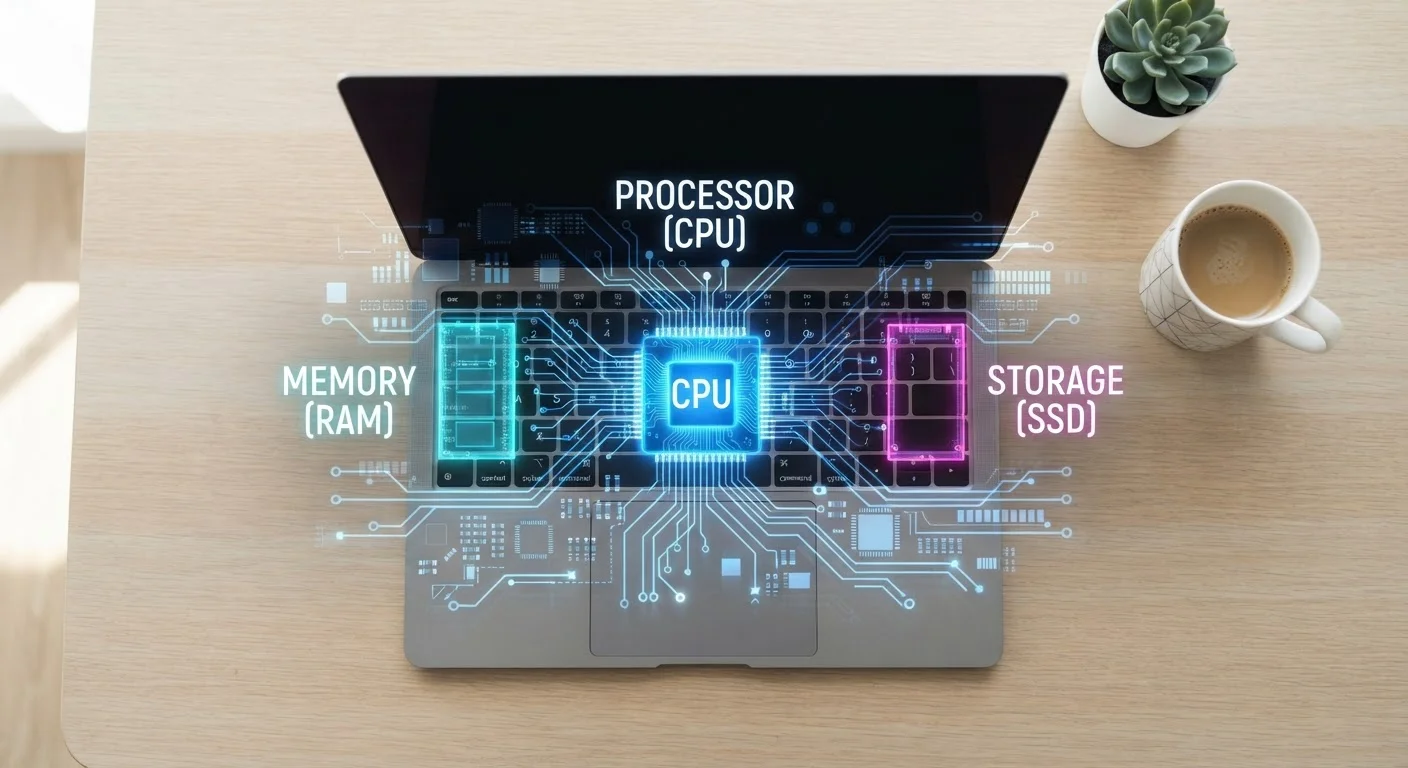
RAM: Your Device's Short-Term Memory
Think of RAM — short for RAM — as your device's workspace. It's where active tasks live while you're using them. When you open a browser tab, stream a video, or switch between apps, all of that data sits in RAM so your device can reach it instantly without digging through slower storage.
The practical upshot: more RAM means your device can juggle more things simultaneously without slowing down. On a phone, this means apps stay loaded in the background so they reopen instantly instead of reloading from scratch. On a laptop, it means you can have a video call running, a spreadsheet open, and a dozen browser tabs active without everything grinding to a halt.
RAM is temporary — it clears every time you restart your device. It is not where your photos or documents live. That's a common point of confusion worth clearing up immediately.
Check What's Using Your RAM Right Now
On Windows, open Task Manager (Ctrl + Shift + Esc) and click the Performance tab to see real-time RAM usage. On a Mac, open Activity Monitor from Applications > Utilities. Seeing which apps consume the most memory can help you decide what to close — or whether more RAM might genuinely help your workflow.
Storage: The Permanent Filing Cabinet
Storage is where everything lives when you're not actively using it: your photos, music, downloaded apps, operating system, and saved documents. Unlike RAM, storage retains data even when the device is powered off.
Modern devices use solid-state storage (SSD or flash memory), which is much faster than the spinning hard drives of older computers. But even the fastest SSD is significantly slower than RAM — which is why your device keeps active data in RAM rather than reading directly from storage every time.
Storage capacity is measured in gigabytes (GB) or terabytes (TB). Filling your storage to the brim won't necessarily make your device slower in a direct sense, but it can cause problems — some operating systems need free space to operate efficiently, and running critically low can cause errors or failed updates.
For a deeper look at how specs like these translate across devices, our smartphone specs explainer breaks down the full picture.
8 GB
Typical RAM in a mid-range smartphone
Mid-range Android phones commonly ship with 6–12 GB of RAM, while many flagship devices now offer 12 GB or more to support demanding multitasking.
~10×
Speed difference: RAM vs. SSD storage
RAM can transfer data at tens of gigabytes per second, while fast NVMe SSDs typically peak around 5–7 GB/s — making RAM dramatically faster for active tasks.
4–16
CPU cores in modern consumer laptops
Consumer laptops now commonly ship with processors ranging from 4 to 16 cores, with higher core counts benefiting parallel workloads like video editing and software compilation.
Processing Power: The Brain Behind Everything
The CPU — often called the processor or chip — is what actually runs the calculations behind every task. When you open an app, edit a photo, or load a webpage, the CPU is processing every instruction involved. A faster processor handles those instructions more quickly, making the experience feel snappier and more responsive.
Two factors most directly affect CPU performance: clock speed (measured in GHz — higher means more instructions per second) and core count (multiple cores allow the chip to handle several tasks at once). Modern devices often balance both.
Processing power matters most for demanding tasks: video editing, gaming, running complex apps, or heavy multitasking. For lighter everyday use — email, browsing, streaming — even modest processors handle things well. Understanding this tradeoff is key when evaluating any device, something our laptop buying considerations guide explores in practical terms.
How They Work Together (and Where Bottlenecks Happen)
These three components don't operate in isolation — they constantly interact. A powerful CPU paired with too little RAM will still feel sluggish because it's waiting on memory. Plenty of RAM with a slow processor means tasks queue up rather than execute quickly. And if storage is nearly full or unusually slow, loading and saving files creates friction regardless of the other specs.
The concept of a bottleneck is important here: your device performs at the speed of its weakest link. This is why simply knowing one number — like storage size — tells you only part of the story. Each component needs to be reasonably balanced for the device to feel capable overall.
As OS updates evolve over time, they can also shift how much these components are taxed — something worth understanding. Our guide to OS updates explains how software changes affect hardware demands. For a broader look at everything these specs apply to, the Gadgets Explained hub is a good starting point.
Frequently Asked Questions
When RAM is full, your device has to start moving data to slower storage to compensate — a process called paging or swapping. This causes noticeable slowdowns, app crashes, or background apps reloading from scratch. Adding more RAM (where possible) or closing unused apps can help.
More storage means room for more files, apps, and media — but it doesn't make your device faster. Speed comes from RAM and the CPU. That said, nearly-full storage can indirectly cause slowdowns on some systems, so leaving some headroom is a good habit.
A CPU (Central Processing Unit) handles general-purpose computing tasks — running apps, managing the operating system, and executing logic. A GPU (Graphics Processing Unit) specializes in parallel tasks like rendering images, video, and increasingly, AI workloads. Most consumer devices have both.
No — internet speed depends on your network connection, not your CPU. A faster processor can help pages render or apps load quicker once data arrives, but it cannot compensate for a slow Wi-Fi or cellular connection. See our <a href="/tech/home-tech-basics/everything-that-lives-on-your-home-network-and-why-it-matters">guide to home networks</a> for more on this.
Slowing over time usually involves a mix of factors: software updates demanding more RAM and CPU power, aging battery affecting performance, accumulated background processes, and sometimes deliberate throttling to protect an aging battery. OS updates, app bloat, and hardware wear all play a role.
The content on this site is for informational purposes only and is not a substitute for professional advice. Always consult a qualified professional for guidance specific to your situation.