

Our Verdict
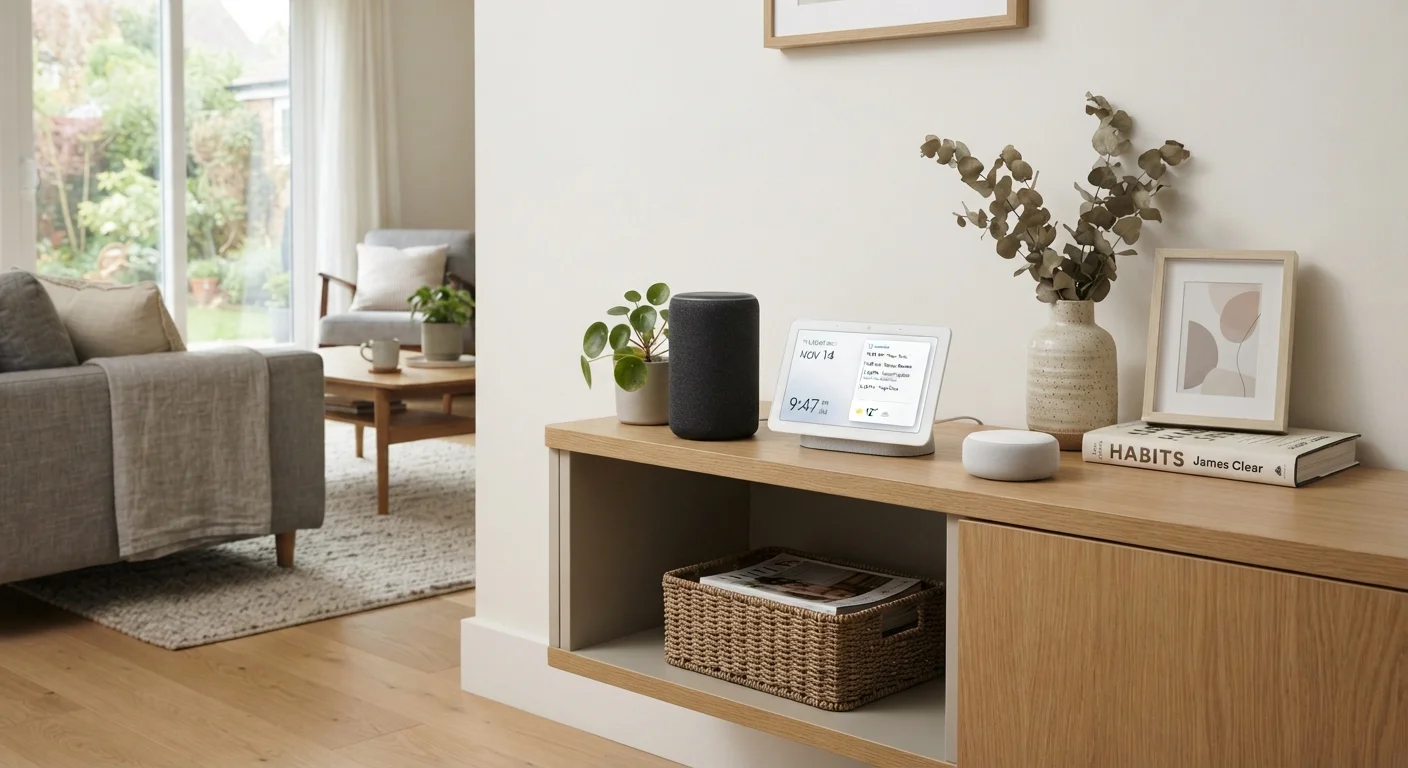
Smart speakers, displays, and hubs each solve a distinct problem. A speaker handles voice and audio; a display adds visual interaction; a hub bridges incompatible smart devices. Knowing the difference helps you avoid buying redundant gear or discovering a gap after setup.
| Best for | Recommended |
|---|---|
| Households that mainly want voice control and music | Smart Speaker |
| Families who want a visual dashboard, video calls, or media playback | Smart Display |
| Anyone building a multi-brand, multi-protocol smart home | Smart Hub |
| Small setups with just a few Wi-Fi devices | Smart Speaker or Display (no hub needed) |
Why the Terminology Gets Confusing
Walk into any electronics section and you'll see devices that look similar, carry similar price tags, and get marketed with the same buzzwords. Smart speakers, smart displays, and smart hubs all sit at the center of the connected home — but they do fundamentally different things. Mixing them up leads to setups that half-work, or purchases you didn't need.
The confusion is partly by design: manufacturers often bundle features together. A smart display might include a hub radio. A smart speaker might double as a basic hub. But understanding each device's primary function lets you evaluate those extras honestly. See our Connected Home Glossary for plain-language definitions of the technical terms that come up in this space.
Smart Speakers: Voice and Audio First
A smart speaker's defining feature is a microphone array paired with a voice assistant — and its defining limitation is that it has no screen. You interact with it entirely through speech, and it responds through audio. Commands like setting timers, playing music, checking the weather, or controlling compatible smart lights are its bread and butter.
Because there's no display to drive, smart speakers tend to be more compact and less expensive than their display counterparts. They connect to your home network over Wi-Fi, and most can also control smart home devices directly — but only those that share the same ecosystem or protocol your speaker supports (typically Wi-Fi or Bluetooth).
Start With One Room
If you're new to smart home gear, pick a single room and decide what problem you want to solve — better music, hands-free timers, or device automation. That decision usually points directly to whether a speaker, display, or hub is the right first step. Expanding from there is far easier than retrofitting a setup you've already outgrown.
If your household primarily wants ambient music and quick voice queries, a smart speaker may be all you need. Complexity grows when you start mixing smart device brands that speak different wireless languages — that's where a hub enters the picture.
Smart Displays: When You Need to See the Answer
A smart display is essentially a smart speaker with a touchscreen bolted on. That screen changes the experience meaningfully: you can see a recipe while cooking, make video calls, watch a news briefing, monitor a security camera feed, or glance at your calendar without asking for it out loud.
Smart displays run the same voice assistants as their speaker counterparts, so voice control works identically. The screen just adds a visual layer. They're particularly useful in kitchens, home offices, or any room where having a heads-up visual — rather than a spoken reply — saves time or effort.
The trade-off is size and price. A display takes up more counter space and costs more than a comparable speaker. If most of your interactions are audio-only, the extra hardware may not earn its keep. For households that do want that visual dashboard, though, it's a meaningful upgrade. The distinction is explored further in our comparison of smart TVs and streaming devices, which touches on the growing overlap between screen-based home devices.
| Smart Speaker | Smart Display | Smart Hub | |
|---|---|---|---|
| Primary function | Voice control and audio | Voice + visual interface | Device protocol translation |
| Has a screen | No | Yes | Rarely |
| Voice assistant built in | Yes | Yes | Usually not |
| Controls smart home devices | Wi-Fi and Bluetooth only | Wi-Fi and Bluetooth only | Multi-protocol (Zigbee, Z-Wave, Thread, etc.) |
| Typical placement | Shelf, bedside, countertop | Kitchen, desk, living room | Closet, utility area, hidden |
| Best without additional gear | Small, single-brand setups | Small, single-brand setups | No — needs devices to coordinate |
Smart Hubs: The Translator Your Devices May Need
A smart hub does something neither a speaker nor a display does well on its own: it speaks multiple wireless protocols. Most smart home devices use one of several radio standards — Wi-Fi, Bluetooth, Zigbee, Z-Wave, Thread, or Matter — and not all of these talk to each other natively.
A hub sits in the middle and translates. A Zigbee door sensor and a Z-Wave thermostat, for example, can both report to a hub, which then sends a unified signal to your phone or voice assistant. Without a hub, those devices either require separate apps or won't integrate at all.
Hubs range from small plug-in dongles to standalone boxes with multiple radios built in. Some smart speakers and displays include a Zigbee or Thread radio, making them partial hubs — useful, but sometimes limited in the range of devices they can reach. If you're building a larger smart home with products from different manufacturers, a dedicated hub typically offers broader compatibility and more reliable automations. Our guide to getting started with smart home devices walks through how these pieces fit together.
Partial Hub Features Can Mislead
Some smart speakers and displays advertise built-in Zigbee or Thread support, which sounds like full hub capability. In practice, these built-in radios may only support devices within the same manufacturer's ecosystem or a narrow device list. If you're planning to mix brands extensively, verify the specific protocols and device compatibility before assuming your speaker can replace a dedicated hub.
Choosing What Your Household Actually Needs
The right combination depends on how many devices you're managing, which brands you've already bought, and how you interact with your home. A household with a few Wi-Fi smart bulbs and a streaming setup may function perfectly with just a smart display. A household mixing smart locks, environmental sensors, and lighting from different brands will likely benefit from a dedicated hub — regardless of what speaker or display is in the room.
It's also worth noting that these devices live on your home network, sharing bandwidth and adding potential entry points for security concerns. Our overview of everything on your home network explains how adding devices affects overall network performance and what to watch for.
4+
Common smart home wireless protocols
Zigbee, Z-Wave, Wi-Fi, Thread, and Bluetooth are all actively used in consumer smart home products, often within the same household.
~60%
Smart home owners using multiple ecosystems
Industry surveys consistently show that a majority of smart home households mix devices from more than one manufacturer, increasing the likelihood of protocol mismatches.
When in doubt, start simple. Add a hub only when you hit a compatibility wall. And consult the Gadgets Explained hub for deeper dives into the individual device categories that make up a connected home.
The content on this site is for informational purposes only and is not a substitute for professional advice. Always consult a qualified professional for guidance specific to your situation.