

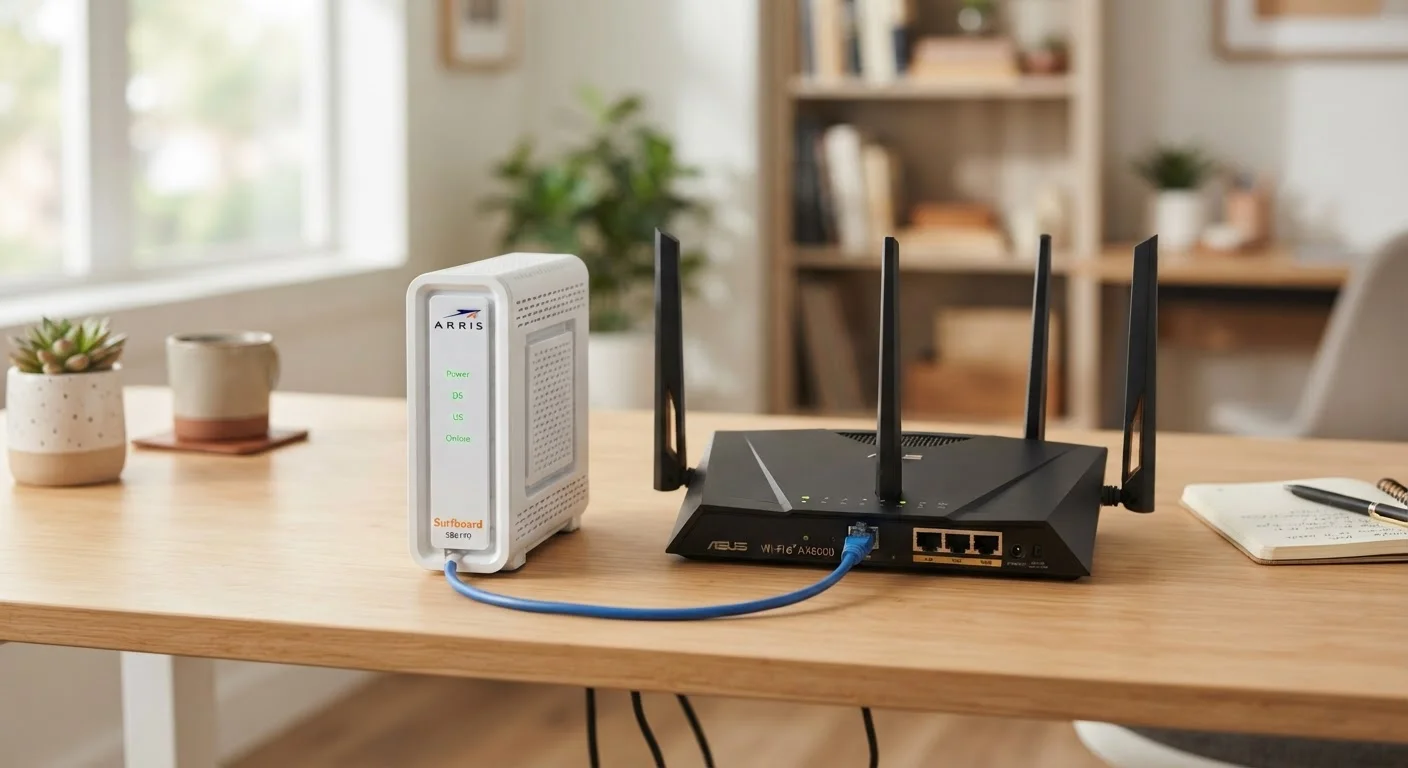
Option A
Modem
The gateway between your home and the internet.
Best for: Translating your ISP's signal into a usable internet connection for your household.
Option B
Router
The traffic director inside your home network.
Best for: Distributing that internet connection to all your devices, wired and wirelessly.
Two Boxes, Two Very Different Jobs
If you look behind your TV cabinet or on a shelf somewhere in your home, you probably see one or two small boxes with blinking lights. Most people refer to all of them vaguely as "the router" — but there's a good chance at least one of them is actually a modem. They're not the same thing, and mixing them up can make troubleshooting a nightmare.
Here's the simplest way to think about it: your modem is the translator that speaks your internet service provider's (ISP) language. It takes the signal coming in through your phone line, coaxial cable, or fiber connection and converts it into a digital signal your home equipment can use. Without it, your house has no internet connection at all.
Your router takes that translated internet connection and distributes it — creating the local network your devices connect to. It's the reason your phone, laptop, smart TV, and thermostat can all be online at the same time. Think of the modem as the front door to the internet, and the router as the hallway that leads every room to it.
For a deeper look at how that internal network functions day-to-day, see our plain-English guide to home Wi-Fi.
| Criterion | Modem | Router |
|---|---|---|
| Primary role | Connects home to ISP | Connects devices within home |
| What it talks to | Your internet service provider | Your phones, laptops, TVs, etc. |
| Creates Wi-Fi? | No | Yes |
| Assigns IP addresses? | No (receives one from ISP) | Yes (to local devices) |
| Affects internet speed cap? | Yes | No (but affects local throughput) |
| Needed for wired connection? | Yes | Not always (one device can plug in directly) |
| Can exist as combo unit? | Yes, with router built in | Yes, with modem built in |
What Each Device Actually Does Under the Hood
A modem — short for modulator-demodulator — was originally named for the process of converting analog signals to digital ones and back. Modern modems are more sophisticated, but the core job remains: negotiate a connection with your ISP and bring internet data into your home. The type of modem you need depends entirely on your ISP and the kind of service you have (cable, DSL, or fiber).
A router, meanwhile, does several things at once. It assigns a unique local address (called an IP address) to every device on your network, manages which data goes where, and enforces a basic layer of security by acting as a firewall between your devices and the open internet. When you connect to Wi-Fi, you're connecting to the router — not the modem.
~40%
US households renting ISP-provided equipment
Industry estimates suggest a significant share of US broadband subscribers pay a monthly fee to rent their modem or gateway from their ISP rather than owning their own hardware.
15–20+
Connected devices in an average US home
According to Deloitte's Digital Media Trends research, the average US household connects well over a dozen devices to its home network — all managed by the router.
One common source of confusion: many ISPs provide a combo unit — a single device that acts as both modem and router. This is convenient, but it means you have less control over your network settings and may be paying a monthly rental fee for hardware you could own yourself.
Understanding what each device does also helps when things go wrong. If restarting only your router fixes the issue, the problem was likely inside your home network. If you have to restart the modem too — or call your ISP — the problem likely started outside your walls.
Want to see everything that depends on your router's performance? See what's connected to your home network and why it matters.
When to Upgrade One, the Other, or Both
Knowing which box does what also helps you spend money more wisely. If your internet plan promises high speeds but every speed test falls short, the modem may be the limiting factor — older modems can't support modern plan tiers. If your internet tests fine on a wired device but Wi-Fi feels sluggish or patchy, the router (or its placement) is the more likely culprit.
Fiber Internet Works Differently
If your home has a fiber connection, you may have an ONT (Optical Network Terminal) instead of a traditional modem. The ONT converts light signals from the fiber line into an ethernet signal your router can use. In that setup, the ONT plays the modem's role, and you still need a router to distribute the connection. Check with your ISP if you're unsure which equipment you have.
If you're renting a combo unit from your ISP, ask whether a separately purchased modem would be compatible with your service. Owning your modem can remove a recurring rental charge, though you take on responsibility for its maintenance and replacement.
For homes with coverage dead zones, upgrading the router alone may not be enough. Mesh Wi-Fi systems use multiple nodes to blanket larger spaces. Learn how mesh systems differ from traditional routers before deciding which approach fits your home.
And if you've ever wondered whether your Wi-Fi habits — like turning the router off at night — are helping or hurting, common Wi-Fi myths are worth reading through before changing anything. For more foundational guides like this one, visit the Home Tech Basics hub.
The content on this site is for informational purposes only and is not a substitute for professional advice. Always consult a qualified professional for guidance specific to your situation.