

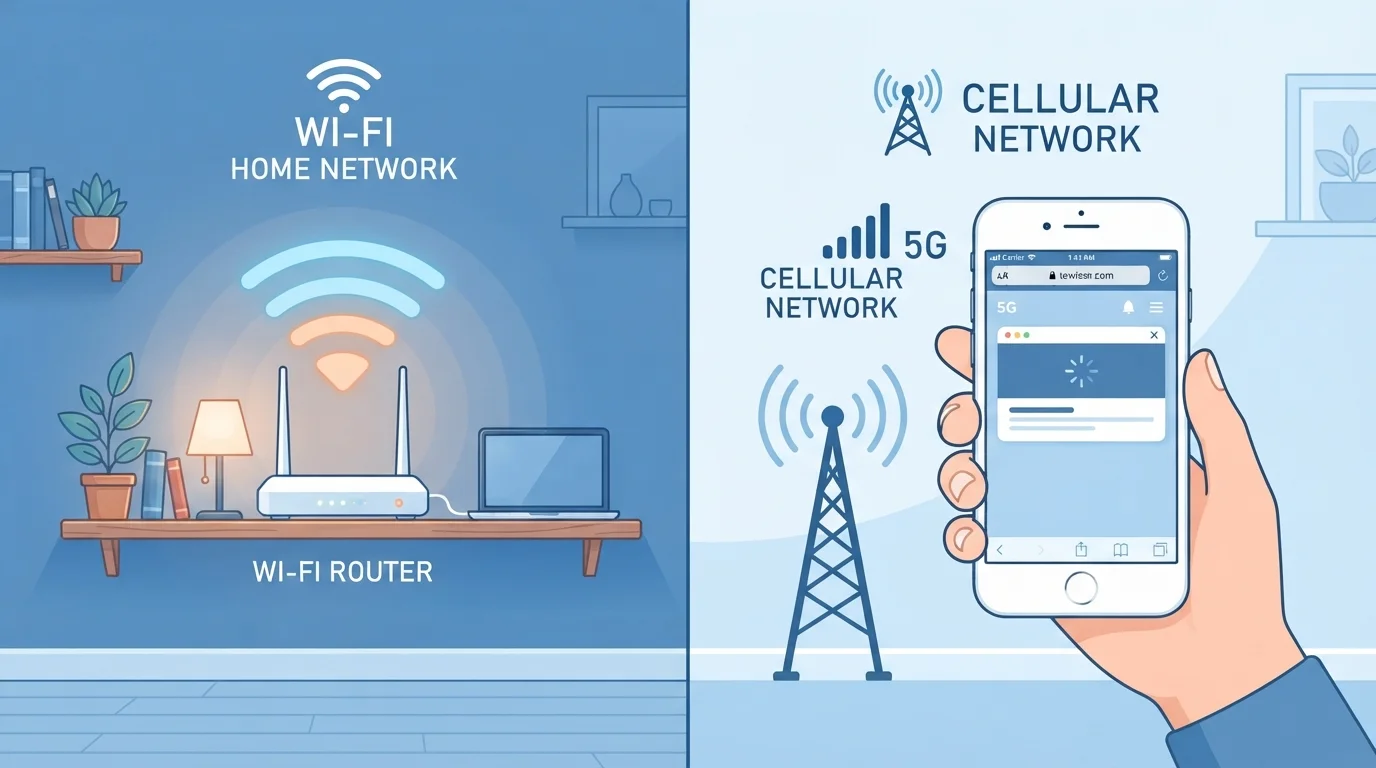
Option A
Wi-Fi
The fast, cost-effective home connection.
Best for: Streaming, video calls, and heavy data tasks when you're near a known router.
Option B
Mobile Data
The flexible, anywhere connection.
Best for: Staying connected on the go when no trusted Wi-Fi network is available.
How Each Connection Actually Works
Wi-Fi and mobile data are both wireless — but they move information in fundamentally different ways. Wi-Fi connects your device to a local router, which is itself connected to the internet through a cable service or fiber line. The router broadcasts a signal, and your phone or laptop picks it up within a limited range — typically up to a few hundred feet indoors.
Mobile data, by contrast, connects directly to your cellular carrier's network through towers spread across a geographic area. Your phone communicates with the nearest tower, and the carrier routes that traffic to the broader internet. Modern cellular standards — including 4G LTE and 5G — can deliver speeds fast enough for video streaming, though performance varies significantly by location and network congestion.
Understanding this distinction helps explain why each connection behaves differently in practice. Learn more about how your home Wi-Fi works — including how routers, signal bands, and coverage dead zones all factor in.
| Criterion | Wi-Fi | Mobile Data |
|---|---|---|
| Typical Speed | Very fast (home broadband) | Variable (carrier & location dependent) |
| Coverage Area | Limited (near router only) | Broad (anywhere with tower coverage) |
| Cost to Use | Included in home internet plan | Counts against monthly data cap |
| Security on Public Networks | Higher risk on open networks | Carrier-encrypted by default |
| Best For | Heavy data use at home or office | On-the-go connectivity anywhere |
| Reliability Risks | Router issues, ISP outages, interference | Dead zones, network congestion |
Speed, Reliability, and Coverage
In most home environments, Wi-Fi outperforms mobile data on raw speed. A typical home broadband plan can deliver download speeds ranging from 100 Mbps to well over 1 Gbps, depending on the service tier. Even a mid-range home router can comfortably support multiple simultaneous streams, downloads, and video calls without breaking a sweat.
Mobile data speeds are more variable. A strong 5G signal in an urban area can rival or even beat home Wi-Fi, but in rural areas or older 4G LTE zones, speeds may be considerably slower. Network congestion — like being in a stadium or busy transit hub — can slow mobile data noticeably.
Reliability is another dimension. Wi-Fi can be disrupted by physical obstacles, interference from neighboring networks, or a problem with your router or internet service provider (ISP). Mobile data can drop in basements, tunnels, or areas with limited tower coverage. Neither is perfectly immune to outages, but the causes and fixes differ.
~500 MB
Data used per hour of HD video streaming
Streaming one hour of HD video consumes roughly 500 MB to 1 GB of data, according to general estimates from major streaming platforms — illustrating why Wi-Fi is preferred for video.
53%
U.S. adults who've used public Wi-Fi for sensitive tasks
A Pew Research Center survey found a majority of American adults have used public Wi-Fi to access sensitive information, despite the associated security risks.
5G
Latest cellular standard, widely expanding in the U.S.
5G networks are actively expanding across major U.S. cities, with peak download speeds that can exceed gigabit levels in ideal conditions, per carrier technical documentation.
Security: Which Connection Is Safer?
This is where the two diverge most meaningfully for everyday users. Your home Wi-Fi network — protected by a strong password and modern encryption (WPA2 or WPA3) — is generally considered safe for sensitive tasks. But public Wi-Fi, like the kind offered at coffee shops, airports, and hotels, is a different story.
Public Wi-Fi networks can expose your traffic to others on the same network. While many websites and apps use HTTPS encryption to protect your data in transit, not all do — and sophisticated attackers can still intercept unencrypted communications on open networks.
Mobile data is encrypted between your device and the carrier's network, making it a more private default for sensitive tasks when you're away from home. If you regularly use public Wi-Fi, using a VPN (Virtual Private Network) adds a layer of protection by encrypting your traffic before it leaves your device. Common Wi-Fi beliefs — including some about public network safety — are worth revisiting to separate fact from fiction.
What a VPN Actually Does on Public Wi-Fi
A VPN (Virtual Private Network) creates an encrypted tunnel between your device and a remote server before your traffic reaches the internet. This makes it much harder for others on the same network to intercept what you're sending or receiving. VPNs don't make you fully anonymous online, but they do add meaningful protection when you're using public or unfamiliar Wi-Fi networks.
Choosing Smartly in Daily Life
Most smartphones automatically connect to a known Wi-Fi network when one is available, falling back to mobile data otherwise. This default behavior is sensible most of the time — but not always. If you're on a slow, unreliable public network, your video call might perform better over cellular. You can manually disconnect from Wi-Fi in your phone's settings whenever it makes sense.
Data-heavy habits — streaming in HD, downloading large files, backing up photos — are best reserved for Wi-Fi to protect your monthly data allotment. Light tasks like checking email, reading articles, or getting directions consume relatively little data and work fine over mobile. For devices that stay in one place, a wired Ethernet connection is often worth considering over both Wi-Fi and cellular for maximum stability.
The smartest approach treats Wi-Fi and mobile data as complementary tools rather than rivals — each suited to specific situations. Knowing the trade-offs puts you in control rather than leaving it entirely to your phone's automatic defaults.
The content on this site is for informational purposes only and is not a substitute for professional advice. Always consult a qualified professional for guidance specific to your situation.